How Do I Create Inserts for Candles Without Getting Safety Claims Wrong?

Keep Candle Inserts Practical, Clear, and Narrow
The cleanest way to create inserts for candles without getting safety claims wrong is to keep the card focused on care, use, and next steps. A candle insert does not need to carry every message your brand wants to say.
That is where small brands get into trouble. The card starts as a thank-you note, then turns into a care guide, then picks up a bold promise about safety, clean burning, or performance. Suddenly a 4x6 card is doing too much, and the wording gets loose.
For a candle brand, tighter copy is usually better copy. Say what the customer should do. Say what the customer should avoid. Keep the language plain, and make sure the same wording appears on your jar label, outer packaging, and any page behind a QR code.
What Is a Candle Insert?
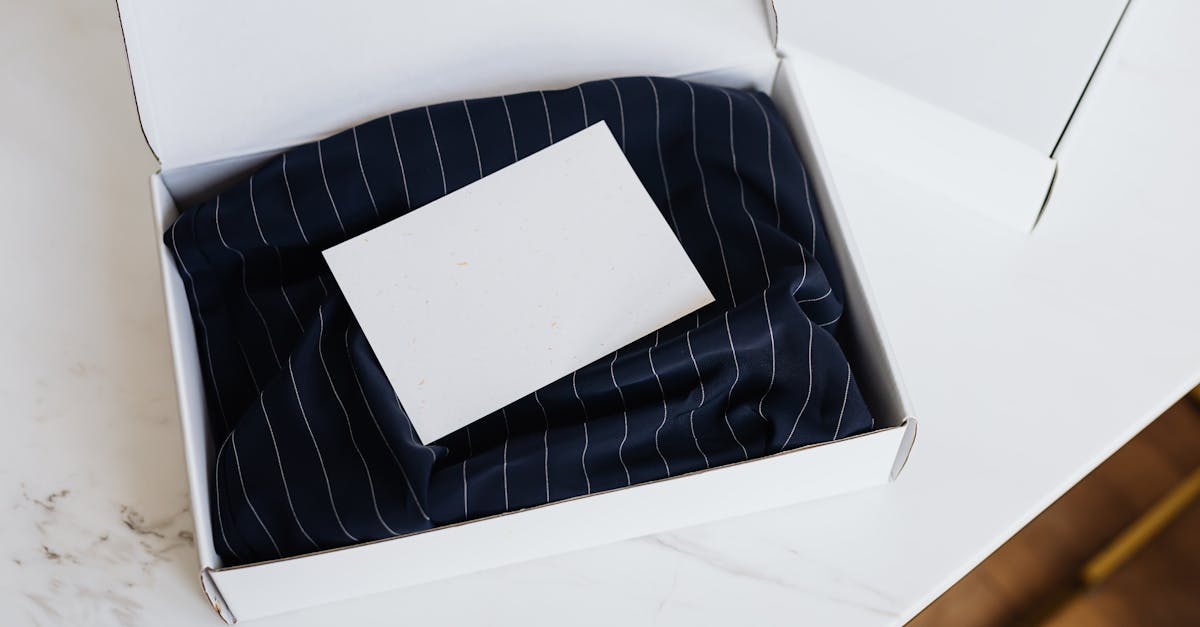
A candle insert is a printed card placed inside the order box with the candle. In ecommerce, that usually means a thank-you card, a candle care card, a reorder offer, or one card that combines two of those jobs.
If you sell on OpoShop, the insert sits in a very specific part of the customer experience. The customer has already ordered through your OpoShop store. The insert is what they see when the box opens, right next to the product they just trusted you to make well.
That moment matters because it feels personal. A small handmade candle seller can use a short insert to explain first burn guidance, wick trimming, or how to get the best result from the candle, while also making the order feel intentional.
A lot of small teams use one of three formats:
- A separate candle care card
- A combined thank-you plus care card
- A thank-you card with a QR code linking to a fuller care guide
All three can work. The right one depends on how much you need the printed card to do.
Why Does Candle Insert Wording Matter?
Candle insert wording matters because unclear copy creates confusion at the exact moment the customer is about to use the product. Clear wording builds trust. Sloppy wording does the opposite.
For candle brands, wording is not only about tone. It is also about precision. If a card says too much, says it vaguely, or blends safety language with marketing copy, the buyer may miss the part that actually matters.
The unboxing moment is also where your brand voice and your instructions meet. That sounds small, but it is not. A one-to-three person team packing orders from an OpoShop store does not have room for mixed messages between the printed card and the QR destination page.
Here is the simple test: if a customer reads the insert in five seconds, do they know how to use the candle well? If the answer is no, the copy needs work.
How to Create a Candle Insert Without Getting Safety Claims Wrong
The safest process is to decide the card's job first, then write short care language, then check every printed and linked for consistency. Most mistakes happen when brands write the design before they decide the purpose.
A good way to think about the insert is this: the card is for action, not for argument. The customer does not need a long explanation. The customer needs clear next steps.
If you are writing candle safety instructions clearly, use direct verbs and short lines. "Trim wick to 1/4 inch before each burn" is easier to follow than a soft, padded sentence with extra brand language around it.
Here is the difference:
Weak: "Enjoy your candle responsibly for a safe and pleasant experience." Stronger: "Trim wick before each burn. Place the candle on a stable, heat-safe surface. Do not leave a burning candle unattended."
The stronger version works because each line tells the buyer what to do. No filler. No vague promise.
A lot of OpoShop merchants also use QR codes here, and that can work well if the printed card stays short. One QR code can lead to a fuller care guide. Another can lead back to your store with a reorder offer. Just make sure the page behind the care QR code says the same thing the printed card says.
If you want candle inserts that are branded, print-ready, and easy to personalize from your orders, see how Insertly fits into your packing workflow.
What Are the Best Ways to Structure Candle Inserts?
The best candle insert structure is the one that keeps care guidance readable without crowding the card. For most small brands, that means choosing one of three formats and being honest about how much space you really have.
| Format | Best for | What works well | What to watch for |
|---|---|---|---|
| Dedicated care card | Brands that need clean, readable usage guidance | Keeps candle care separate and easy to scan | Adds one more printed piece to the box |
| Combined thank-you plus care card | Small teams that want one insert doing two jobs | Saves space and printing steps | Gets cluttered fast if the copy is too long |
| Thank-you card with QR-led care guide | Brands that want a cleaner printed card | Leaves room for branding and one short instruction set | Fails if the QR page does not match the printed wording |
A separate care card is often the easiest format to get right. The message stays focused. The customer can keep the card near the candle. Your thank-you note can stay warm without interfering with usage guidance.
A combined card works if you are disciplined. A 4x6 insert can hold a short thank-you, three to five care lines, and one or two QR codes. Past that, readability starts to fall apart.
A QR-led format is useful if your brand has fuller care instructions, scent-specific notes, or a reorder flow you want to include. A small maker can fit one QR code for a candle care guide and another for a reorder offer on a 4x6 card, but only if the layout stays clean and the text stays short.
For many OpoShop merchants, 4x6 is the sweet spot for candle orders. It is large enough for readable care instructions, small enough to pack easily, and simple to print in batches before a seasonal shipping run.
What Common Candle Insert Mistakes Should You Avoid?
The biggest candle insert mistakes are crowding the card, mixing care copy with promo copy, using vague or absolute wording, and linking QR codes to pages that say something different. Most of these mistakes come from trying to make one small insert do every job at once.
Here is what that looks like in real life:
- A thank-you card that squeezes six care instructions, a discount code, a brand story, and two QR codes onto one side
- A care card that uses soft language instead of direct instructions
- A printed insert that says one thing, while the care guide page says something else
- A reorder QR code that lands on a generic homepage instead of a useful next step
That last one gets missed a lot. A one-to-three person candle team may check the print file, but forget to test the QR destination on a phone. Then the buyer scans the code and lands on a page that does not match the insert at all.
If you sell on OpoShop, do a quick run-through before a busy shipping week. Open the order flow, generate the cards, scan the QR codes, and read the insert next to the actual candle box. That five-minute check can save you from printing a whole date range of cards with wording you need to change.
What We Recommend for Small Candle Brands
For small candle brands, we recommend a short printed care card with consistent wording across the insert, packaging, and any QR-linked care page. If you want one card to do more, combine a thank-you note with care instructions only if the layout still reads cleanly at a glance.
For most teams, this setup works well:
- Use a 4x6 insert for readability
- Keep printed care instructions short and direct
- Separate care text from discount or reorder messaging
- Add one QR code to a fuller care guide if needed
- Add a second QR code to a reorder page only if the card still feels spacious
- Personalize the card with buyer name and order number if you want the unboxing to feel more intentional
That last point is worth calling out. A handmade candle seller can make a simple insert feel much more thoughtful by personalizing it from order data. For brands running on OpoShop, that can be especially helpful during high-volume periods when you still want the package to feel personal, not generic.
If you are packing a whole week of holiday orders, do not hand-build each insert. Generate them in batches, check the wording once, then print the full date range.
A clean workflow helps here. Insertly lets OpoShop merchants generate print-ready inserts from store orders, personalize them with buyer details, and keep card sizes consistent for packing.
If you want a faster way to prepare branded inserts before a shipping run, this is a good place to start.
Best answer: Use a short candle care insert that tells the buyer exactly how to use the candle, keep any safety language narrow and plain, and make sure the printed wording matches the page behind every QR code. For most small brands, a separate care card or a clean 4x6 combined card is the safest next step.
FAQs
What should I put on a candle care card?
A candle care card should include the instructions the buyer needs to use the candle well. That usually means first-burn guidance, wick trimming, safe placement, and a short unattended-burn warning, written in plain language that matches your packaging.
Can a package insert send customers to a care guide?
Yes. A package insert can link to a fuller care guide with a QR code, and that is often the cleanest way to keep the printed card short. Just make sure the QR page repeats the same wording and does not introduce conflicting instructions.
What size should a package insert be for small ecommerce orders?
A 4x6 insert works well for many small ecommerce orders because it gives you enough room for readable copy without taking over the box. If the order is larger or the care instructions are longer, 5x7 or A6 can give you a bit more breathing room.
How do I add a QR code to a package insert?
Add the QR code in the card layout and test it on a phone before printing the full batch. One QR code can point to a candle care guide, and a second QR code can point to a reorder page if the card still feels uncluttered.
Should I put a discount code on a candle insert?
Yes, if the discount code does not crowd out the care instructions. Candle inserts work best when care guidance comes first and any reorder offer sits in its own small section.
How do I print package inserts at the exact trim size?
Start with the final card size before you design the insert, then export the print file to that exact trim size. Tools that generate print-ready PDFs at fixed sizes make this much easier, especially if you are printing inserts for a full batch of OpoShop orders.
If your candle inserts need to be clear, branded, and easy to print, Insertly gives you a clean way to build them from your store orders and keep the workflow tidy.